Skip to content

Early alpha Team Admin is still being built. Expect changes between releases and a few rough edges. What works today

Early alpha · invite only

Plan trainings on the iPad. Run them at the rink.

One place for floorball coaches to draw animated drills, build a timed training and follow every player's fitness tests. Team Admin is an early alpha, opened club by club.

  • Release 0.11.6
  • 4 fitness tests built in
  • Czech and English
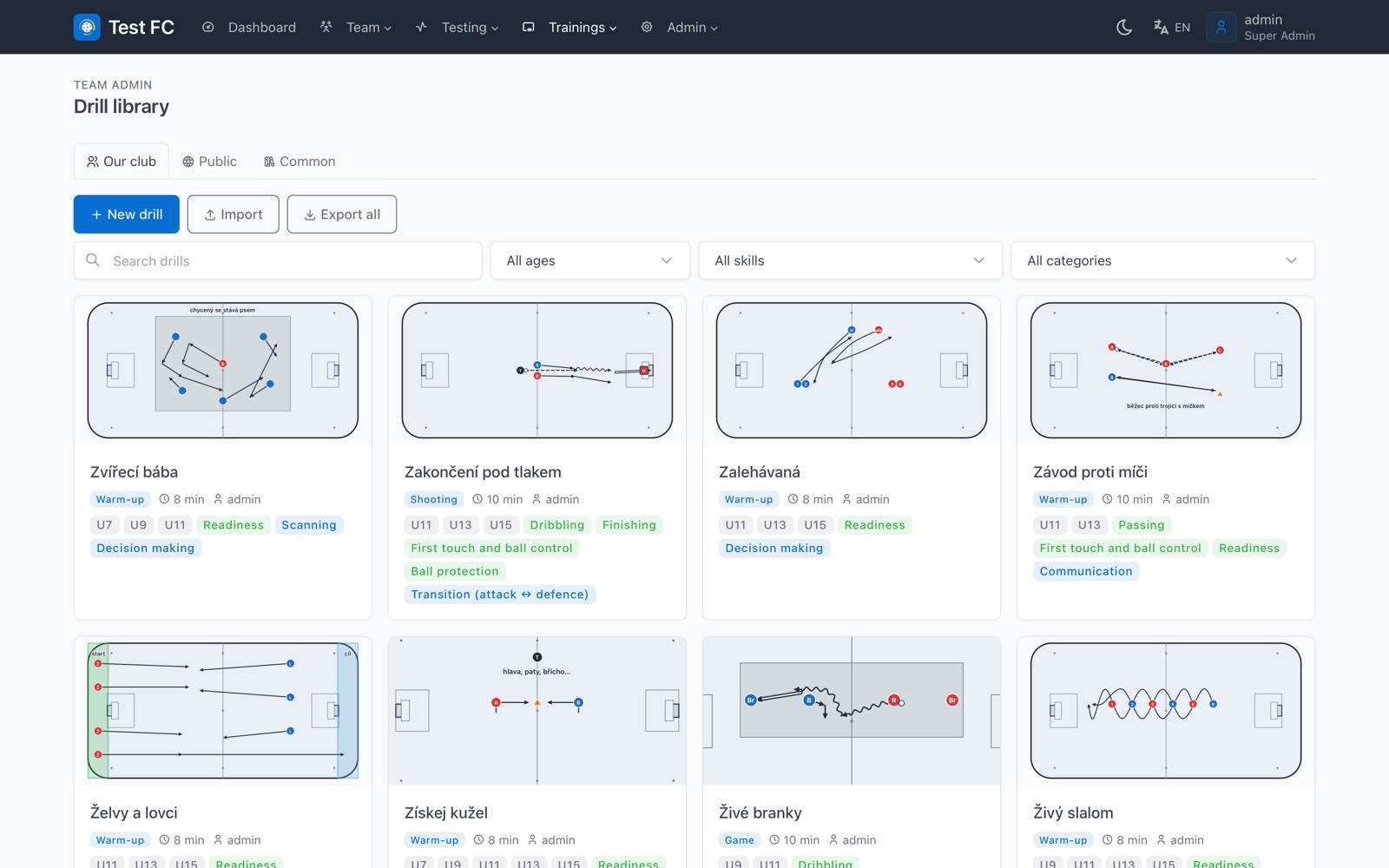
Drill library: a grid of drill cards, each with a rink diagram, duration, age groups and colour coded skill tags
The club drill library from the current alpha, shown with demo data.

The problem

Your practice lives in three places

Drills sit on a whiteboard photo, the plan sits in a group chat, and test results sit in a spreadsheet nobody opens again. At the rink you are scrolling instead of coaching.

With Team Admin

One club account for all of it

Drills, trainings and fitness results live together, on the iPad at the boards and on the laptop at home. Every save is automatic, so the plan you open at the rink is the one you finished last night.

Training planner

From a sketch to a running practice

Built for the iPad at the boards: Apple Pencil draws, fingers move and zoom.

Drills players understand at first look

Place players, goalkeepers, cones, hurdles and ladders on an IFF rink, then draw passes, runs, dribbles and shots. Split the drill into steps and the app animates it, so everyone sees who goes where and when.

  • Full rink or a smaller field, from 18 × 10 m up to 40 × 20 m
  • Team bib colours and coloured equipment
  • Undo, duplicate and the coach manual inside the editor
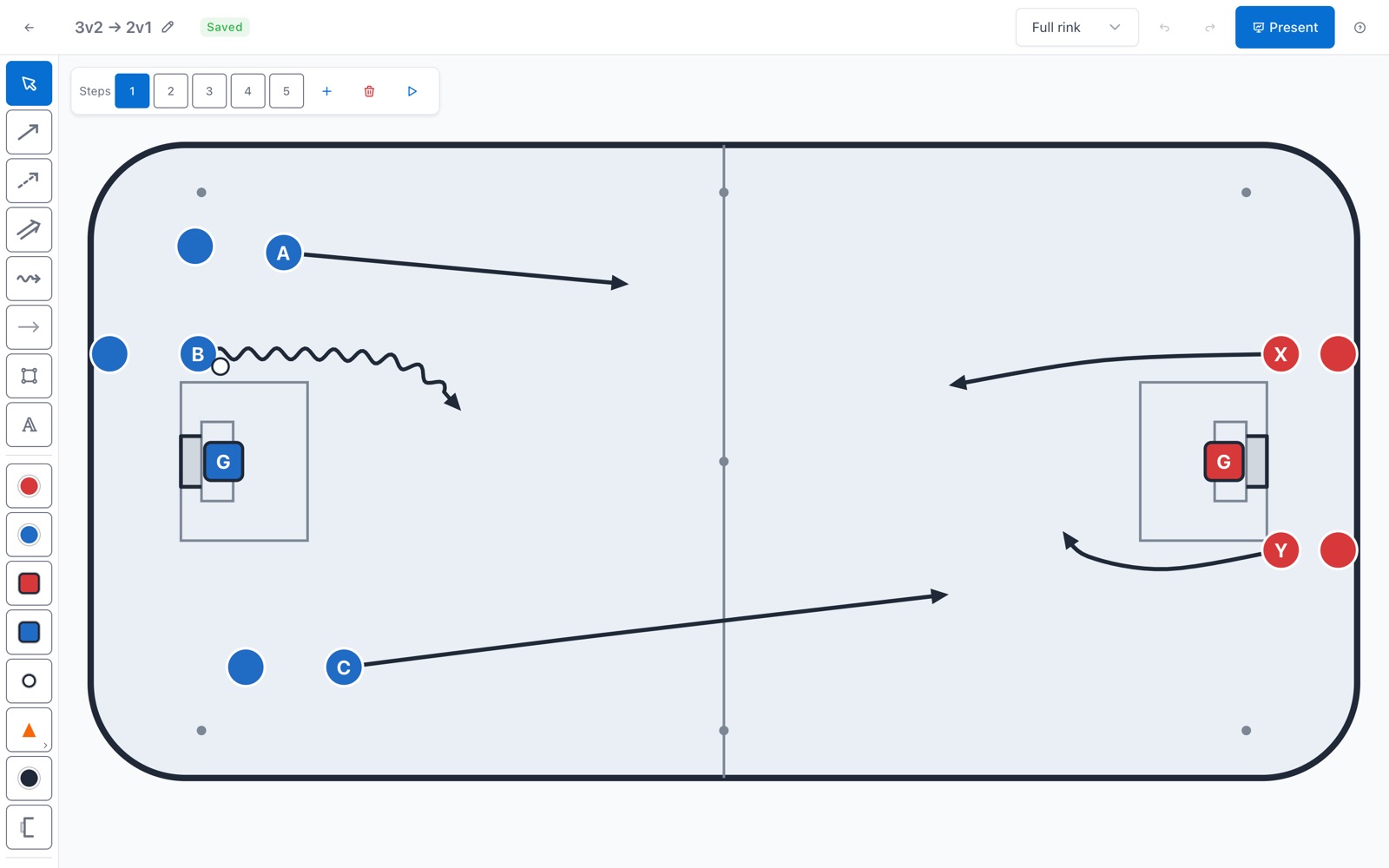
Drill editor with a five step 3v2 drill: tools on the left, players A, B and C attacking towards the right goal

A full training in minutes

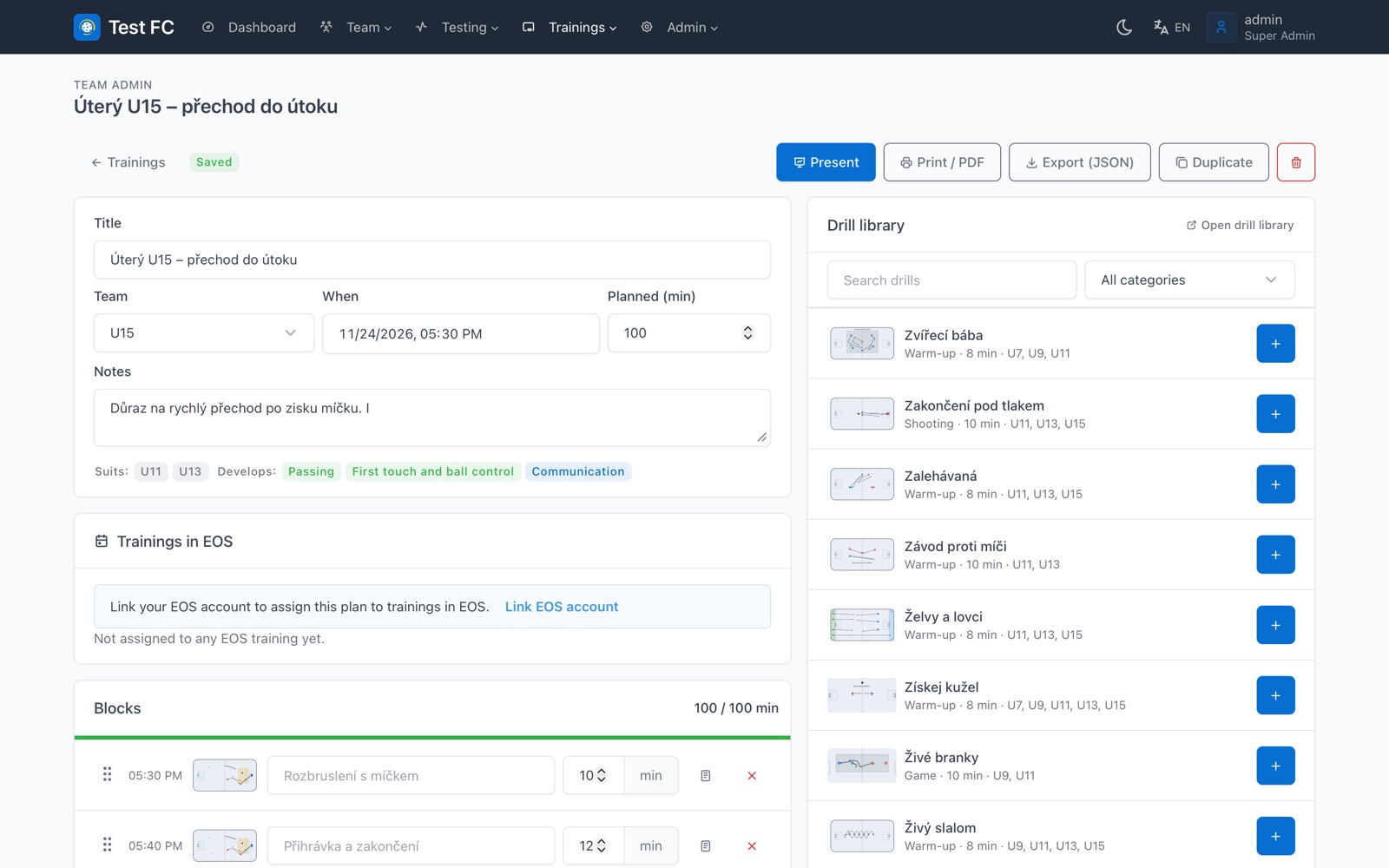
Pick the team, the date and the planned length, then add drills, breaks and notes from the library. Start times update as you reorder blocks, and a bar turns green when the plan fits the time you have.

  • Skills and age groups worked out from the drills you chose
  • Print, save as PDF, duplicate or export to a file
  • Attach the plan to your EOS training dates
Training builder for a U15 practice: title, team, date, 100 planned minutes, timed blocks and the drill library on the right

Run the practice from one screen

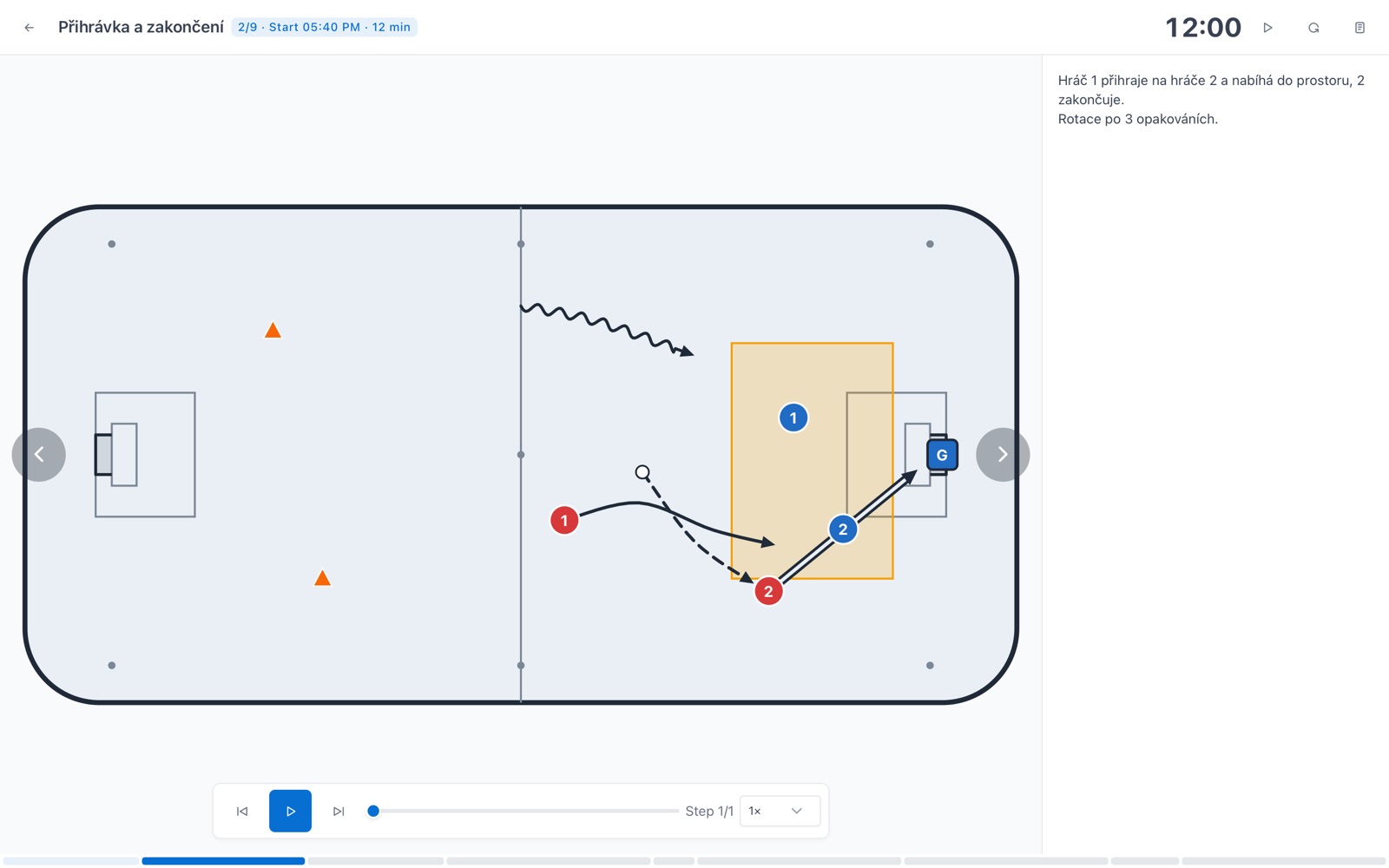
Presentation mode shows one block at a time with a countdown, the drill animation and your coaching notes. The screen stays awake, and the app can live on the iPad home screen like any other.

Presentation mode on block 2 of 9: a passing and finishing drill on the rink, a 12:00 countdown and playback controls

A first draft when time is short

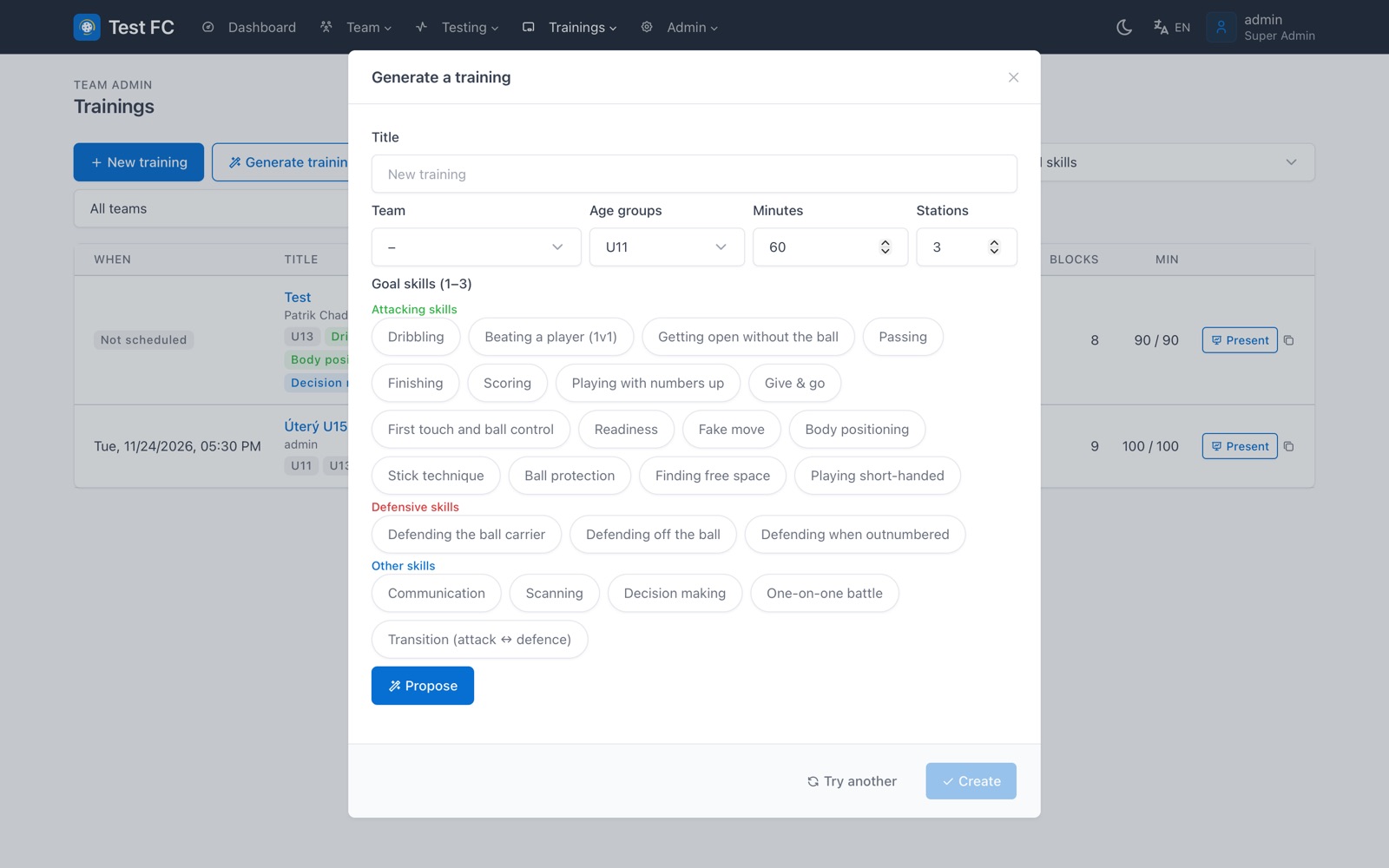
Choose the age group, the length and up to three goal skills. The generator drafts a plan that follows the training unit method: warm up, speed while players are fresh, stations on the goal skills, then a game.

Rather ask in plain words? Connect Claude, ChatGPT or Cursor over MCP. The assistant reads your drills and creates new trainings, and it can never change or delete anything.

Generate a training dialog: team, age group U11, 60 minutes, 3 stations and goal skills grouped into attacking, defensive and other

Less time on the whiteboard. More time with the ball.

How it works

Three steps to your next practice

  1. Step 1

    Start from the library

    Copy drills from the common starter library or from other clubs' public shelf, or draw your own from scratch.

  2. Step 2

    Build or generate the plan

    Line up blocks for your team and date, or let the generator draft them and adjust what you want.

  3. Step 3

    Run it and measure

    Present the plan at the rink, then record fitness tests with ankle bands, the stopwatch or by hand.

Fitness tests

Fitness you can compare season to season

Cooper test, 40 m sprint, Illinois agility and standing long jump, ranked and rated against the zones you set for each team.

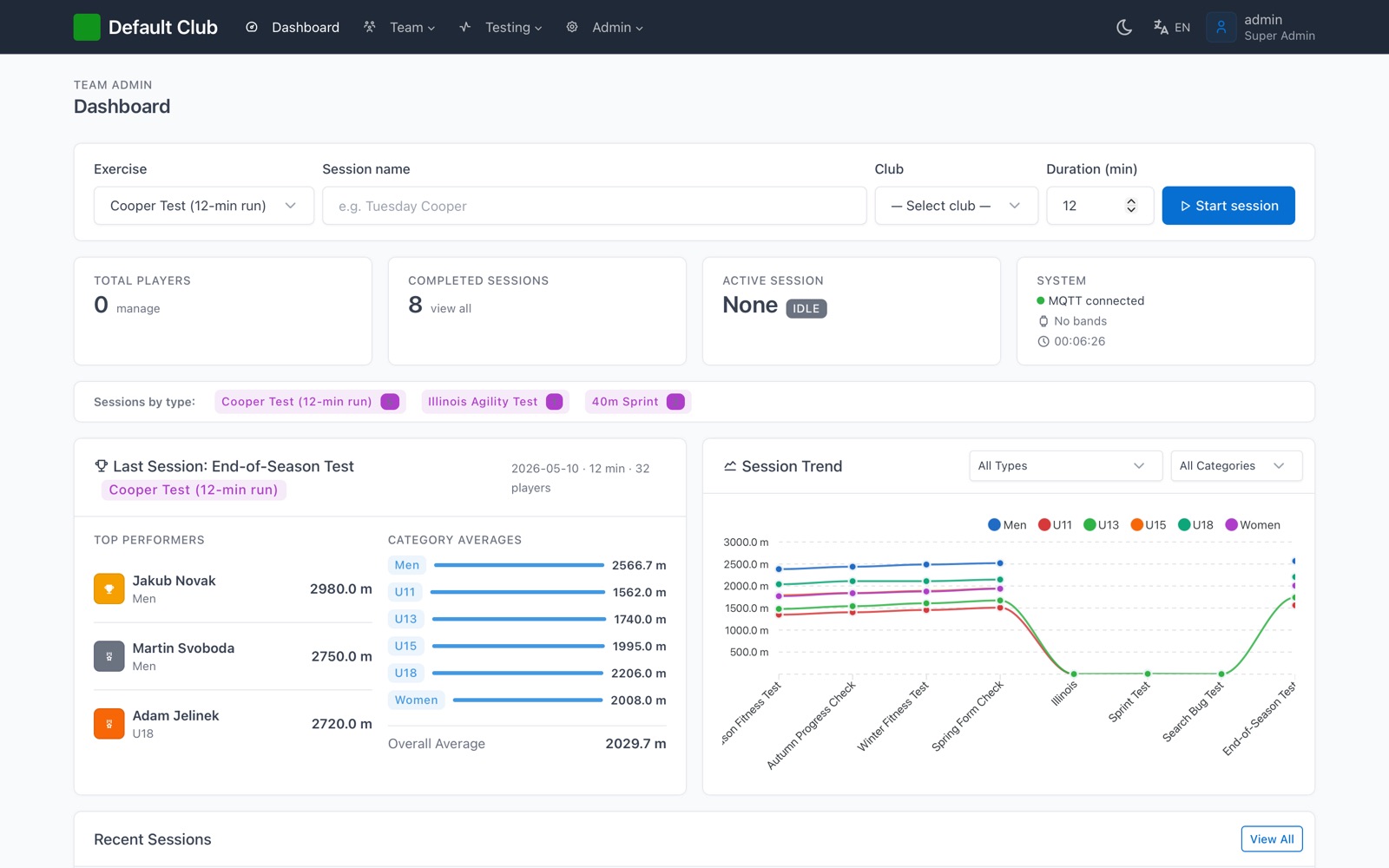
Dashboard: start a session, top performers, averages per age group and a trend chart across sessions
Club dashboard. Start a session, see the strongest players, the average for each age group and how the club trends from test to test.
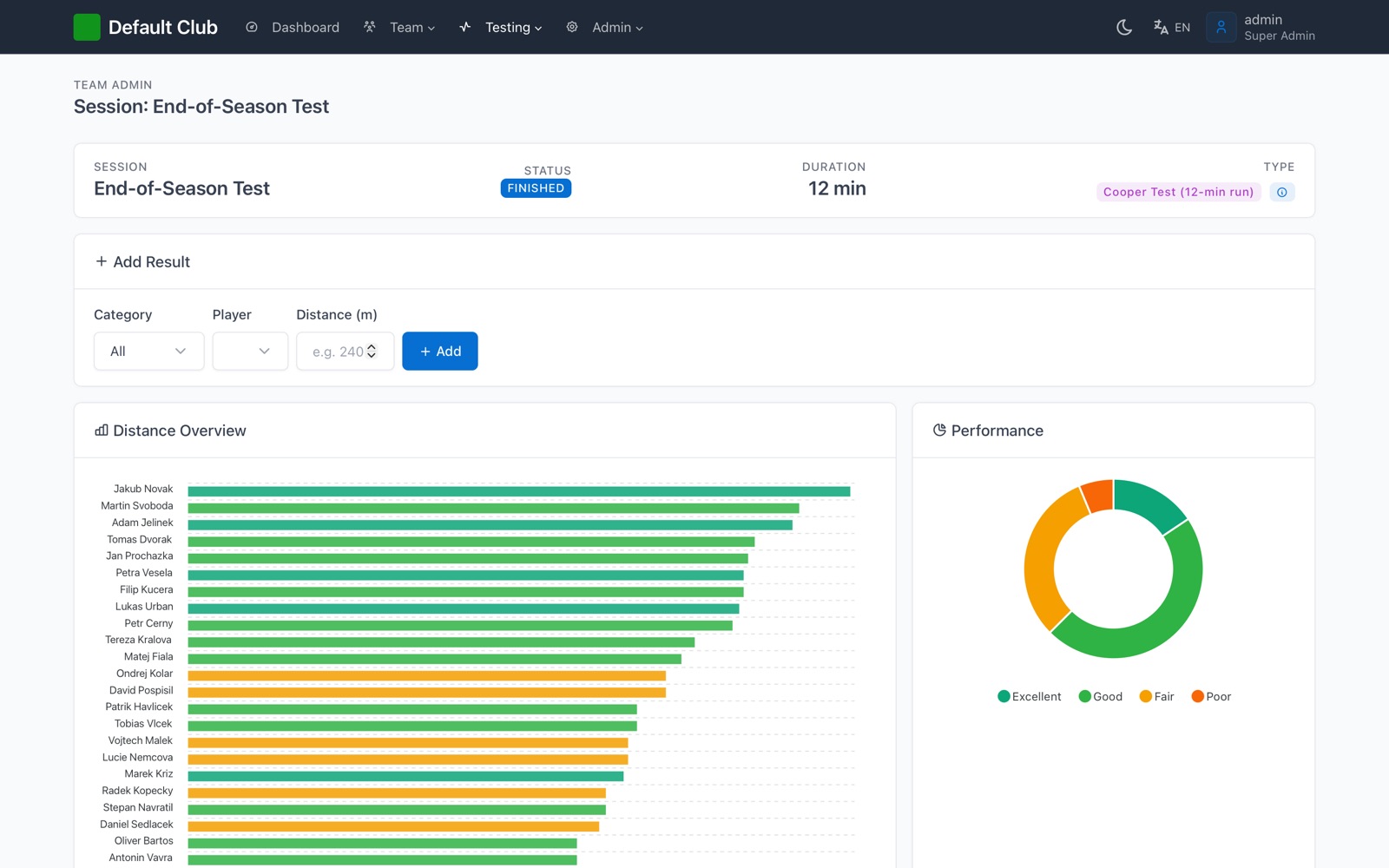
Session results: Cooper test distance per player as coloured bars and a rating donut chart
Session results. Every result ranked and rated, with VO2max for the Cooper test and a CSV export.

Live from the ankle band, or by hand

Players can wear ESP32 ankle bands that send steps, distance and cadence to a laptop at the rink, with no internet needed. No bands? Use the built in stopwatch or type the results in.

  • Import the whole roster from an Excel file
  • Trend, rating and full test history for every player
  • Add your own test types to the shared catalogue
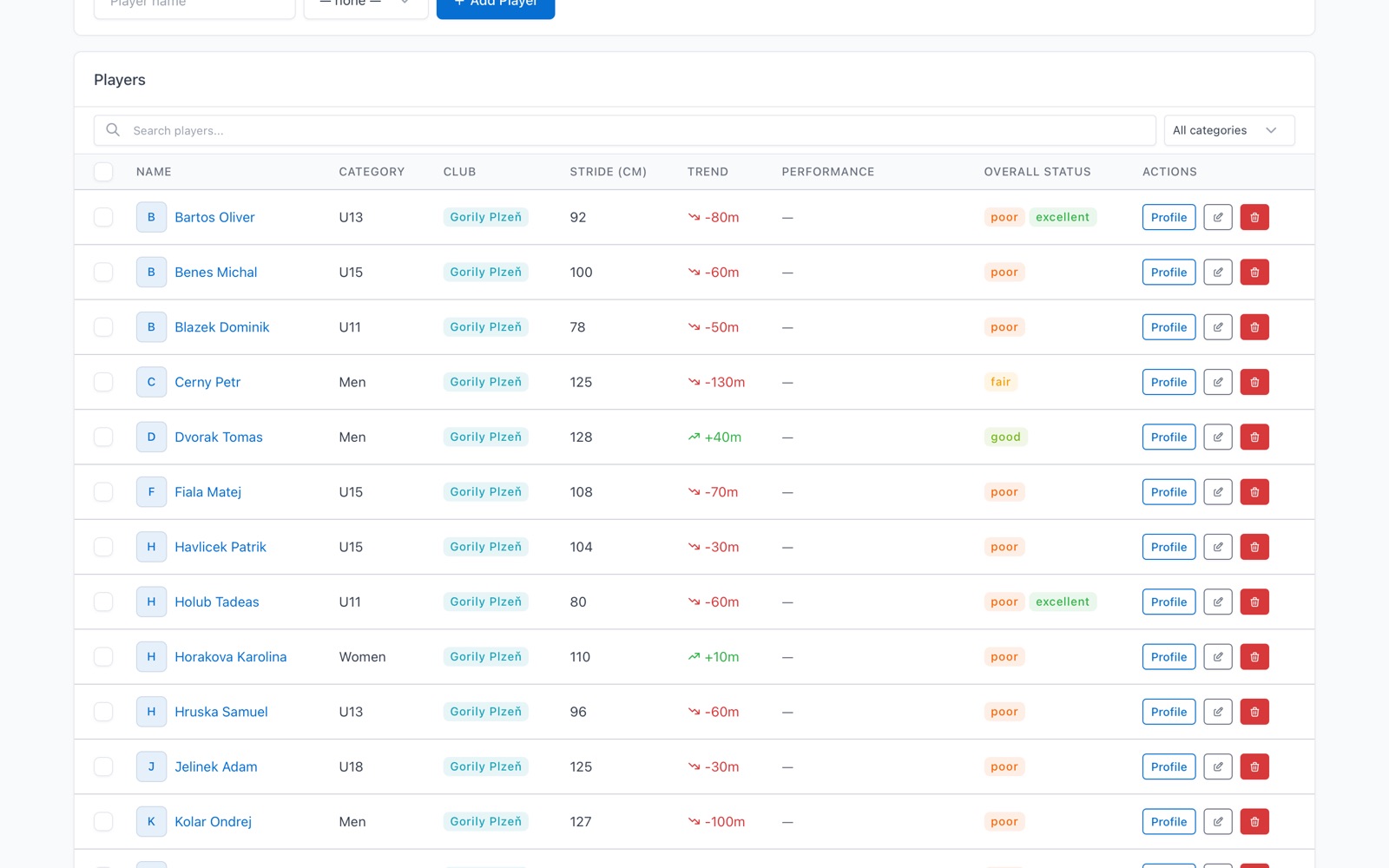
Players table with category, stride length, trend in metres and a rating badge for each player

The rest of the club, too

Shared drill shelves

Your club's drills, drills other clubs published, and a common starter library. Copy any of them into your club with credit to the author.

Import and export

Move drills and whole trainings between clubs as a file, or save a drill as a picture for the team chat.

EOS integration

For clubs on EOS: sync teams and players, attach a plan to EOS training dates and fill attendance straight from EOS.

Coach timesheets

Turn EOS attendance into the club's monthly timesheet, then download it or send it by email. Clubs switch it on when they need it.

Private by default

Accounts by invitation only, sign in with Google or a password plus an authenticator app, and every club sees only its own data.

Czech, English, dark mode

Works on phone, tablet and desktop in light or dark mode. A few older screens are still English only.

Honest status

This is an early alpha

Team Admin is useful today, but it is not finished. Here is what to expect.

Works well today

  • Drill editor, animations and the drill library
  • Training builder, presentation and printing
  • Training generator and the AI assistant connection
  • Cooper, sprint, Illinois and long jump tests with results and trends

Expect rough edges

  • Screens and workflows still change between releases
  • Some older pages are only partly translated into Czech
  • The ankle bands are a hardware prototype
  • No uptime promise yet, so export what you cannot lose

Questions coaches ask

How early is the alpha?

Early. Features land and change from release to release, some screens are only partly translated, and there is no uptime promise yet. Keep an export of anything you cannot lose.

How do I get access?

Request an invite below. Accounts are invitation only, so a club admin or the maintainer sends you a link. You then sign in with Google or with a password and an authenticator app.

Do I need to install anything?

No. Team Admin runs in the browser on phone, tablet and desktop. On the iPad you can add it to the home screen so it opens like an app.

Do I need the ankle bands for fitness tests?

No. The bands measure the Cooper test live, but every test can also be timed with the built in stopwatch or typed in by hand.

Which AI assistants work with it?

Any assistant that speaks the Model Context Protocol, including claude.ai, Claude Desktop, ChatGPT, Claude Code and Cursor. The assistant reads your drills and creates trainings, and it can never change or delete anything.

Who can see my club's data?

Only your club. Players, results and trainings stay inside the club account, and a drill becomes public only when you publish it.

Can I take my drills and trainings elsewhere?

Yes. Export single drills, the whole library or a training to a file at any time, and print any training as a PDF.

Which languages does it speak?

Czech and English. Pick the language in the app; a few older screens are still English only.

Early alpha

Bring Team Admin to your club

Tell us your club and the teams you coach. Invites go out in small batches, so every club gets help getting started.

  • Nothing to install, it runs in the browser
  • Export your drills and trainings whenever you want
  • Your club's data stays private to your club

We use these details only for your invite. See the privacy policy (Czech).